Home>Software and Apps>Torrenting and the Law: What Actually Carries Risk
Software and Apps
Torrenting and the Law: What Actually Carries Risk
Modified: 22 September 2026
Table of Contents
- What the Law Actually Says About Downloading vs. Uploading
- The Three Scenarios That Get Copyright-Holder Lawyers Involved
- Why Public Trackers Are the Riskiest Environment You'll Ever Use
- How Your ISP Knows (and How a VPN Stops That)
- The One Setting in Your Torrent Client That Could Incriminate You
- Private Trackers: Lower Risk, But Not Zero
- What Happens When You Get a Copyright Notice (and What to Do)
- Frequently Asked Questions
You can get sued for torrenting, but only if you upload copyrighted material. The legal risk comes from sharing, not downloading.

What the Law Actually Says About Downloading vs. Uploading
US copyright law under Title 17 USC §504 sets statutory damages between $750 and $30,000 per infringement. Courts award these amounts for each act of distribution, not each download. When you torrent, your client splits a file into pieces and uploads those pieces to other users. That upload is distribution. The download is not.
Copyright holders target uploaders. They monitor swarm participants and log IP addresses that send data. A 2016 German case fined a user €2,500 for uploading a single music album via BitTorrent. The download was never in question. Only the upload.
If you stop seeding immediately after a download finishes, you reduce your upload volume. You do not eliminate it. The BitTorrent protocol uploads pieces while you download. Every second your client runs, you are distributing copyrighted material.
The Three Scenarios That Get Copyright-Holder Lawyers Involved
Lawyers target three specific scenarios. First, uploading a popular movie or album within hours of its release. The Recording Industry Association of America (RIAA) and Motion Picture Association (MPA) monitor public trackers for new leaks. Second, uploading a large volume of files. A user seeding 500 songs is a bigger target than one seeding five. Third, uploading to a public tracker where the swarm is already monitored. The German fine came from a public tracker with known monitoring.
Your risk increases with each of these factors. Lawyers do not pursue every uploader. They pursue the ones easiest to catch and the ones causing the most financial damage.
Why Public Trackers Are the Riskiest Environment You'll Ever Use
Public trackers like The Pirate Bay, 1337x, and RARBG mirrors are open to everyone. That includes copyright trolls, law firms, and automated monitoring bots. These bots join the swarm, record IP addresses, and generate evidence packages. A single bot can log thousands of IPs in minutes.
Private trackers require registration and maintain user ratios. They ban users who do not seed. They also ban known monitoring IPs. This creates a smaller, more trusted environment. But private trackers are not immune. A compromised account or a leaked invite can expose you. Public trackers are the frontline. If you use them, you are visible to everyone.
How Your ISP Knows (and How a VPN Stops That)
Your ISP sees every connection you make. When you torrent, your client connects to dozens or hundreds of peers. Each connection includes the peer's IP address and the data you send. The ISP logs this traffic. They do not inspect the content, but they see the volume and the destination.
Copyright holders send your ISP a notice with your IP address and a timestamp. The ISP matches that to your account and forwards the notice. This is how most users get their first warning.
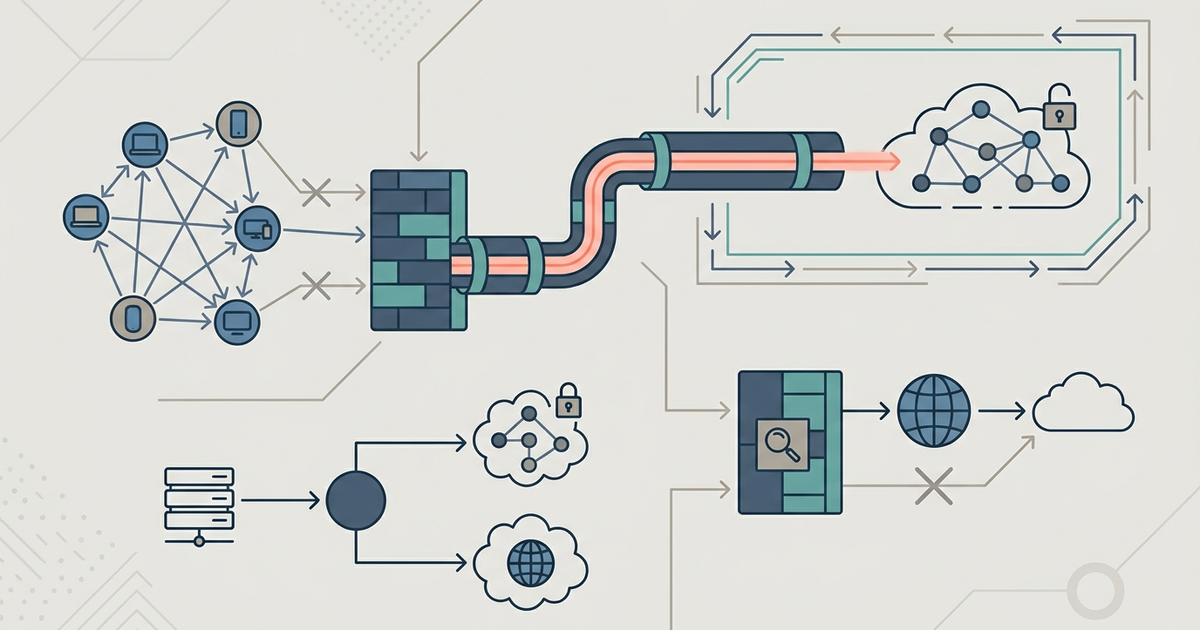
A VPN stops this by encrypting all traffic between your device and the VPN server. Your ISP sees only encrypted data going to the VPN server. They cannot see the torrent traffic or the destination IPs. The VPN server's IP address appears in the swarm instead of yours.
NordVPN 7.x includes a kill switch that blocks all internet traffic if the VPN drops. This prevents your real IP from leaking. ProtonVPN's free tier has a strict no-log policy but no kill switch on desktop. If your VPN disconnects, your real IP is exposed. For torrenting, pay for a VPN with a kill switch. NordVPN costs $4.99 per month on a two-year plan as of 2026. ProtonVPN's paid tier starts at $4.99 per month and includes a kill switch.
The One Setting in Your Torrent Client That Could Incriminate You
qBittorrent 4.6.x and Transmission 4.0.x both have a setting that controls how many upload slots you use. The default is often unlimited. Your client uploads to as many peers as possible, maximizing your upload volume and your legal exposure.
In qBittorrent, go to Tools > Options > BitTorrent. Under "Seeding," set "Maximum upload slots" to 1. This limits your client to one active upload at a time and reduces your upload volume dramatically. Do the same for active torrents. In Transmission, go to Preferences > Bandwidth. Set "Upload slots per torrent" to 1.
Disable DHT (Distributed Hash Table) and PEX (Peer Exchange) on public trackers. These features share your IP with more peers, increasing your visibility. In qBittorrent, right-click the torrent, select "Properties," and uncheck "Enable DHT" and "Enable PEX." Transmission lacks per-torrent DHT control, so disable it globally via Preferences > Peers. Uncheck "Enable DHT" and "Enable PEX."
uTorrent 3.6, the legacy version, logged IP addresses by default in older builds. This log could be subpoenaed. If you still use uTorrent, switch to qBittorrent or Transmission. They are open-source, actively maintained, and do not log IPs.
Private Trackers: Lower Risk, But Not Zero
Private trackers reduce risk through user verification and ratio enforcement. They require an invite or application. They ban users who do not seed and block known copyright troll IPs. This makes it harder for monitoring bots to join the swarm.
Private trackers are not safe. A user with a compromised account can invite a troll. A tracker's database can be breached. In 2020, a major private tracker's user database leaked, exposing IP addresses and email addresses. The risk is lower, but it is not zero.
Use a VPN with private trackers too. Many private trackers prohibit VPNs, but most allow them if you register the VPN IP with the site. Check the tracker's rules before connecting.
What Happens When You Get a Copyright Notice (and What to Do)
Your ISP forwards a copyright notice from a copyright holder. The notice includes the date, time, file name, and your IP address. It usually demands you stop infringing and may include a settlement offer.
Do not ignore it. ISPs have a three-strike policy in some regions. After three notices, they may throttle your connection, terminate your account, or hand your details to the copyright holder.
Do not pay the settlement. Copyright trolls often send mass settlement demands. Paying one encourages them to send more. Instead, stop torrenting that file. Delete it from your client. Then, use a VPN for all future torrenting.
If you receive a subpoena or a lawsuit, consult a lawyer. Do not respond directly to the copyright holder. The statutory damages of $750 to $30,000 per infringement are real, but most cases settle for a few hundred dollars. A lawyer can negotiate a lower amount or get the case dismissed.
You can also use Deluge 2.1.x with the Blocklist plugin. This plugin downloads a list of known IP ranges used by copyright trolls and blocks them. It is not perfect, but it adds another layer. Install the plugin, point it to a blocklist URL like iblocklist.com, and enable it. Update the list weekly.
One final setting: in qBittorrent, go to Settings > Advanced. Set "Network Interface" to your VPN adapter. This forces all torrent traffic through the VPN. If the VPN drops, the client stops transferring. This is the most reliable way to prevent leaks.
Part of our guide to The Torrent Client Handbook.
Frequently Asked Questions
Does qBittorrent upload while I'm only downloading?
Yes. The BitTorrent protocol uploads pieces to other peers the moment your client starts downloading. You cannot disable this during the download phase, only limit how many peers receive data by setting maximum upload slots to 1 in Tools > Options > BitTorrent.
Can I use ProtonVPN's free plan for torrenting safely?
ProtonVPN's free tier lacks a kill switch on desktop, so if the VPN disconnects your real IP address is exposed to the swarm. A paid plan with a kill switch is necessary to block all internet traffic when the VPN drops.
How do I force Transmission to only use my VPN connection?
Transmission does not have a network interface binding setting like qBittorrent. You must rely on your VPN's kill switch to block traffic if the connection drops, since Transmission cannot be locked to a specific adapter.
What does the Deluge Blocklist plugin actually block?
The Blocklist plugin blocks connections to known IP ranges associated with copyright trolls and monitoring firms. You need to point it to a regularly updated blocklist URL and enable it, but it cannot catch every monitoring IP that joins a swarm.
Why do private trackers ban VPNs?
Private trackers enforce user ratios and ban known troll IPs, so they want a consistent IP address tied to your account. Many allow VPNs if you register the VPN server's IP with the site, but you must check each tracker's rules before connecting.
Does disabling DHT in qBittorrent stop my IP from leaking?
Disabling DHT and PEX prevents your client from sharing your IP address with additional peers outside the tracker's swarm. It reduces visibility but does not hide you from peers already connected through the tracker itself.