Home>Software and Apps>Why SMS Codes Are the Weakest Form of 2FA
Software and Apps
Why SMS Codes Are the Weakest Form of 2FA
Modified: 27 November 2026
Table of Contents
- How SIM Swapping Lets Attackers Steal Your Codes
- SS7 Flaws: The Network-Level Vulnerability You Can't Fix
- SMS Codes Are Phishable — and Phishers Love Them
- The Delay Problem: SMS Is Slow and Unreliable
- What to Use Instead: Authenticator Apps and Security Keys
- How to Switch Your Accounts From SMS to a Better Method
SMS two-factor authentication codes are the weakest form of 2FA. They rely on a phone number — something attackers can steal, intercept, or trick you into giving up. Switch to an authenticator app or a hardware security key.

How SIM Swapping Lets Attackers Steal Your Codes
SIM swapping is the easiest way for an attacker to hijack your SMS 2FA codes. The attacker calls your mobile carrier, pretends to be you, and claims they lost their SIM card. If they have enough personal info — your name, address, maybe the last four digits of your Social Security number — the carrier issues a new SIM to the attacker's phone. Yours stops working. All SMS codes now go to them.
This isn't theoretical. In 2019, Twitter CEO Jack Dorsey lost control of his own account when attackers SIM-swapped his T-Mobile number. They posted racist tweets from his handle before Twitter locked him out. Dorsey had no control. His phone went dead, and every SMS code Twitter sent went straight to the attackers.
You can't stop a SIM swap. Your carrier decides who gets the new SIM. You can add a PIN or passcode to your account, but many carriers still override it with social engineering. The attack works because phone numbers were never designed for security — they're just routing numbers.
SS7 Flaws: The Network-Level Vulnerability You Can't Fix
SS7 stands for Signaling System 7, the protocol that phone networks use to route calls and texts. It was designed in the 1970s, when every phone company was a trusted monopoly. There is no authentication built into SS7. Any carrier with access to the network can read your SMS messages, forward them, or redirect them.
Researchers proved this in 2016 when they intercepted SMS 2FA codes sent by Google and other services using SS7 flaws. They didn't need your phone or your carrier. They just needed a connection into the SS7 network, which is trivially easy for any telecom in the world to get. The attack works on every mobile carrier, on every phone, and on every operating system. There is no patch you can install. The flaw is in the architecture itself.
Since 2016, multiple criminal groups have used SS7 attacks to drain bank accounts. In 2021, a German security firm demonstrated that SS7 could still intercept Telegram and WhatsApp verification codes. The protocol hasn't been fixed because fixing it would require every carrier on earth to upgrade infrastructure simultaneously. That isn't happening.
Your phone is secure. The SMS channel is not.
SMS Codes Are Phishable — and Phishers Love Them
An SMS code is just a six-digit number you type into a web form. That makes it easy to phish. An attacker sends you a realistic-looking login page — maybe for Google, maybe for your bank — and you type in your password. The page then forwards that password to the real site and passes back the SMS code you receive. The attacker uses your real code in real time to log in. You never notice.
This is called a "real-time phishing proxy." Tools like Evilginx and Modlishka automate the entire process. They cost nothing, require no hacking skill, and work against any service that uses SMS 2FA. Google, Microsoft, and Apple all see these attacks daily. The code you just typed is useless — you gave it to the attacker yourself.
Authenticator apps are not immune to phishing if you type the code into a fake page. Hardware security keys are. A YubiKey or Titan Key doesn't show you a code to type. It cryptographically proves it's talking to the real website. That's the difference between something you can copy and something you can't.
The most common phishing campaigns today target SMS codes. The attacker doesn't need to hack your carrier. They just need you to trust a fake email.
The Delay Problem: SMS Is Slow and Unreliable
Even ignoring all the security issues, SMS 2FA fails at its basic job: delivering codes on time. International delivery can take minutes. Some carriers delay or drop messages when the network is congested. If you're in a basement, subway tunnel, or area with weak signal, you're locked out of your account until you walk outside. That's not security — that's frustration.
Google and Apple both report that SMS 2FA has the highest failure rate of any 2FA method. Users can't log in because the code never arrives, or arrives after the timeout expires. That pushes users to disable 2FA entirely, the opposite of what you want.
Authenticator apps work offline. They generate codes from a shared secret stored on your device, with no network required. Hardware keys also work offline. SMS is the only 2FA method that depends on a working cellular connection.
What to Use Instead: Authenticator Apps and Security Keys
Use an authenticator app as your primary 2FA method. Two good free options are Google Authenticator and Authy. Both generate time-based codes that refresh every 30 seconds. Authy adds a backup — it syncs your tokens across devices using encryption, so if you lose your phone you can recover your codes. Google Authenticator does not sync by default, so back up your secret key manually. Both are free on iOS and Android.
For the best security, use a hardware security key. These keys plug into a USB port or tap via NFC and authenticate using public-key cryptography. The attacker gets nothing you can type or forward. The YubiKey 5 NFC costs $55 and works with any service that supports FIDO2 or U2F — Google, Facebook, Twitter, GitHub, and hundreds of others. Google's own Titan Security Key costs $35 and offers similar protection. Both support NFC for use with a phone.
If you can only do one thing, switch from SMS to an authenticator app. It's free, takes five minutes, and fixes every attack vector described above except phishing. If you're paranoid — or if your account has access to sensitive data — buy a hardware key. It's the only method the National Institute of Standards and Technology (NIST) recommends without caveats. In 2017, NIST officially deprecated SMS-based 2FA in its Digital Identity Guidelines, saying SMS is "restricted" and "deprecated for out-of-band verification." That's the US government telling you: stop using this.
How to Switch Your Accounts From SMS to a Better Method
Here's how to disable SMS 2FA on Google, the most common target for SIM swapping and phishing. The same pattern works for Facebook, Twitter, Microsoft, and Apple.
Step 1: Open your Google Account at myaccount.google.com.
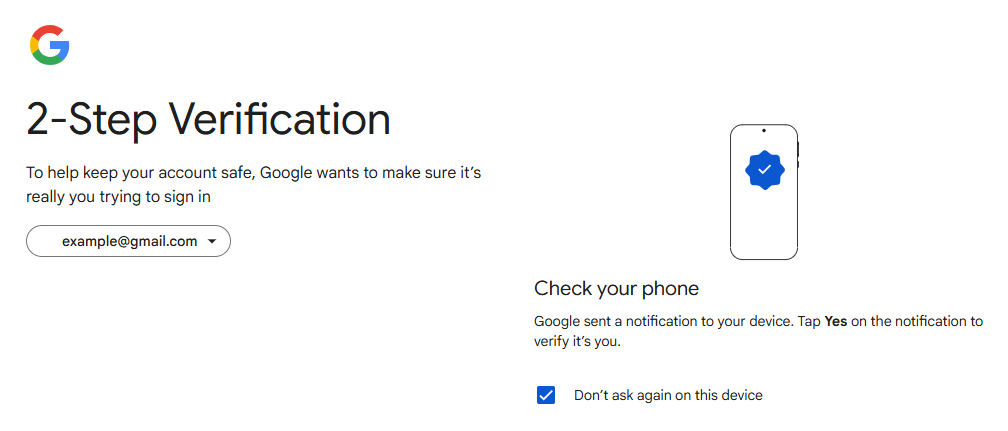
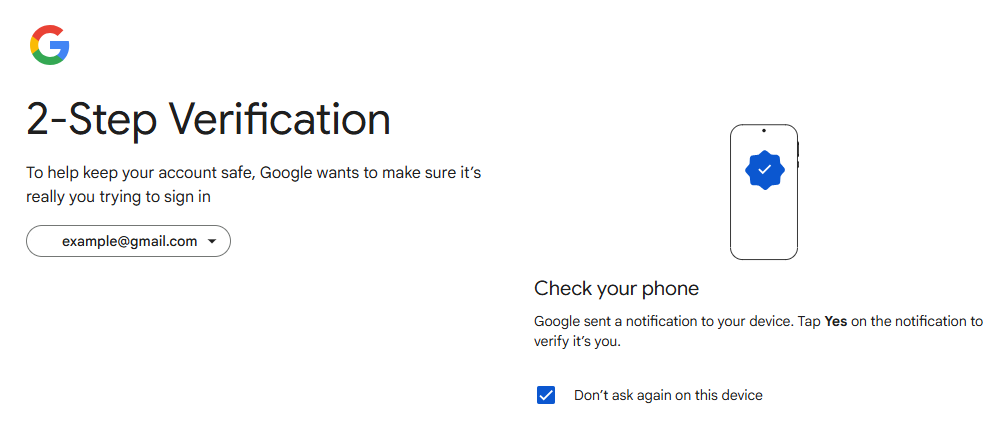
Step 2: Click Security in the left-hand menu. Scroll down to How you sign in to Google and click 2-Step Verification.
Step 3: Sign in again if prompted. You'll see a list of your current second factors. If your phone number is listed under Backup phone or Default second factor, click the edit pencil icon and choose Remove.
Step 4: Click Authenticator app and follow the on-screen instructions. You'll see a QR code. Open Google Authenticator or Authy on your phone, tap the plus icon, and scan the QR code. The app starts generating codes immediately.
Step 5: Click Add security key if you have one. Insert your YubiKey or Titan Key into a USB port (or tap it via NFC on your phone) and follow the prompts. It registers in about 10 seconds.
Step 6: Scroll down to Backup options and add a backup code or a second hardware key. Without a backup, losing your phone or key locks you out of your account permanently.
Remove your phone number entirely once the authenticator app or key is working. If you still list it as a 2FA option, any attacker who SIM swaps you can use it to reset your entire account. The goal is to eliminate SMS as a second factor, not to keep it as a backup.
That's it. Your accounts are now safer from SIM swaps, SS7 intercepts, and most phishing attacks. The only downside is you have to carry an app or a small USB key. The upside is a stranger won't take over your Twitter account while you watch.
Part of our guide to Two-Factor Authentication, Properly Set Up.