Home>Software and Apps>Why School and Workplace Networks Block What They Block
Software and Apps
Why School and Workplace Networks Block What They Block
Modified: 18 October 2026
Table of Contents
- The IT Department's Job Isn't to Annoy You
- Bandwidth Management: Netflix at Work Costs Real Money
- Safety First: Keeping Malware and Phishing Out
- Legal Compliance: What the School or Company Has to Follow
- Productivity Policies: The Acceptable Use Agreement You Clicked
- The Real Reason YouTube, Spotify, and Steam Get Blocked
Your school or workplace blocks websites and apps because it's cheaper, safer, and more legally defensible than letting everything through. That's the short answer. The longer one explains exactly how those decisions get made, who makes them, and why Netflix, Spotify, and Steam almost always lose the argument.

The IT Department's Job Isn't to Annoy You
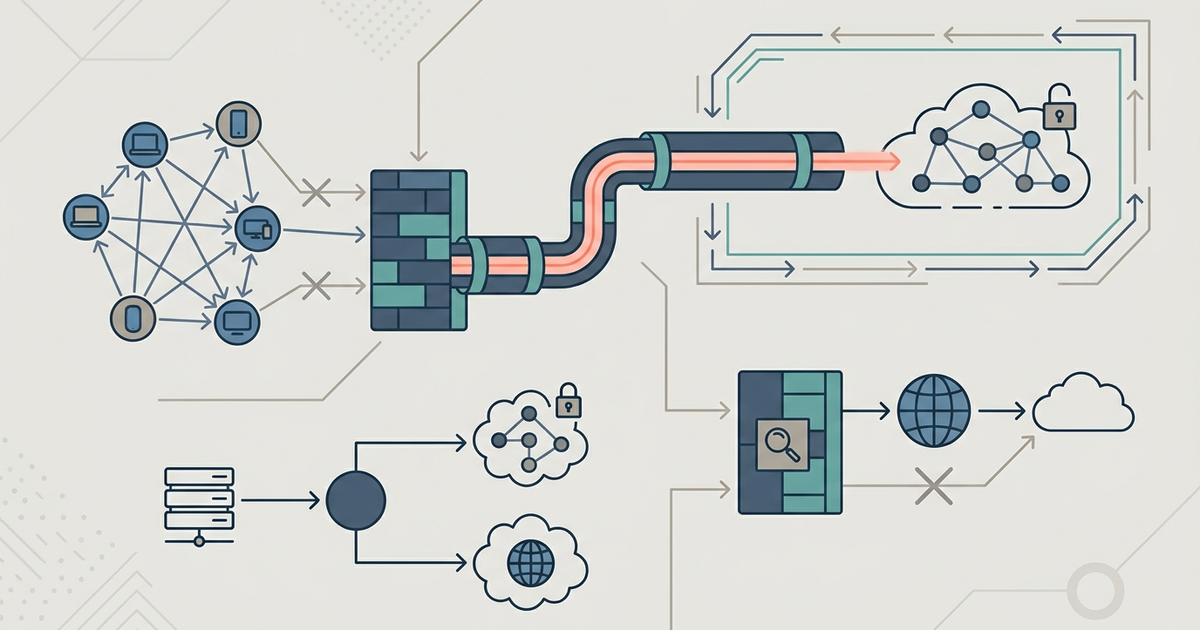
The person blocking Reddit at your school doesn't hate memes. They're paid to keep the network stable, secure, and compliant. Most enterprise networks use hardware like FortiGate or cloud services like Cisco Umbrella to enforce rules. These aren't simple on-off switches. They're filtering engines that inspect every packet, domain, and application protocol in real time. When a student tries to open a game site, the firewall checks it against dozens of categories—gaming, malware, streaming, social media—and either allows it, blocks it, or throttles it. The default setting for most schools and companies is "block until proven useful." That's not personal. It's risk management.
Bandwidth Management: Netflix at Work Costs Real Money
Bandwidth isn't infinite. Your school or employer pays a fixed monthly rate for a certain capacity, and streaming video is the fastest way to eat through it. A single 4K Netflix stream uses about 7GB per hour. In a 500-student school with ten simultaneous streams during class, that's 70GB an hour. Over a six-hour day, that's 420GB—on just one service. Most school internet connections run at 1Gbps or less. That bandwidth must also support learning management systems, video calls, email, and administrative tools.
IT departments use traffic shaping to prioritize essential apps. Microsoft Teams or Zoom gets priority. Netflix gets blocked. The financial logic is simple: if the school upgraded to a plan that could handle unlimited streaming, the monthly bill would jump from, say, $2,000 to $5,000 or more. That money comes out of the same budget that pays for textbooks and teacher salaries.
Safety First: Keeping Malware and Phishing Out
Blocking websites isn't just about data caps. It's about stopping attacks before they reach a user's browser. Schools and workplaces are prime targets for ransomware and phishing because they have many users and limited security awareness. Firewalls like FortiGate and Cisco Umbrella maintain constantly updated threat intelligence feeds. When a new phishing site launches, the firewall blocks it within minutes—often before any human analyst has even reviewed it.
Many of the sites you want to access—free game portals, video converters, torrent trackers—are also the most common distribution points for malware. IT isn't blocking them because they're fun. They're blocking them because the risk of a single infected device spreading through the network is too high. A ransomware infection in a school can cost tens of thousands in recovery fees and days of lost instruction time.
Legal Compliance: What the School or Company Has to Follow
For US schools, the legal mandate is clear. The Children's Internet Protection Act (CIPA) requires that any school or library receiving federal E-rate discounts for internet access must block or filter obscene content, child pornography, and material harmful to minors. That's federal law. Noncompliance means losing funding. Schools don't have a choice about whether to filter; they only have a choice about which filtering system to use.
Companies face different legal pressures. Regulated industries like healthcare, finance, and legal services must comply with HIPAA, FINRA, or GDPR. These laws impose strict rules on data access and storage. If an employee accesses a file-sharing site from a corporate laptop, that site could exfiltrate sensitive client data. The company is liable. Blocking the site is the simplest way to prevent that liability.
Also consider the software licensing costs. Microsoft 365 Business Basic costs $6 per user per month. That plan includes email, Teams, and web apps. The $15 per user per month plan adds advanced compliance tools, data loss prevention, and eDiscovery features. Companies that restrict which apps employees can install or access are often doing so because the higher-tier plan includes tools that only work with approved software. Allowing unapproved apps would either break those compliance features or require an additional license.
Productivity Policies: The Acceptable Use Agreement You Clicked
You almost certainly agreed to an acceptable use policy (AUP) when you got your school or work account. Most people click through without reading. Here's a typical line from a real corporate AUP: "No streaming video, gaming, or peer-to-peer file sharing during work hours." That's not a suggestion. It's a term of employment or enrollment.
These policies establish a clear boundary. When a manager sees an employee watching YouTube during a meeting, they can point to the AUP rather than having a subjective conversation about what counts as "too much" video. For schools, the AUP often includes specific language about visiting only sites that support educational objectives. That gives the IT department the authority to block entire categories without needing to justify each individual domain.
The Real Reason YouTube, Spotify, and Steam Get Blocked
Each of these services hits a different nerve for IT.
YouTube is a bandwidth monster. Even at 480p, a single stream uses about 700MB per hour. At 1080p, it's 2.5GB. Schools block YouTube not because every video is bad, but because the platform makes it trivially easy to waste hours of bandwidth and time. Some schools use a whitelist approach: they block all of YouTube and then unblock specific educational channels. That's more work for IT, but it prevents the "just one quick video" problem that turns into a class-wide streaming session.
Spotify gets blocked for similar reasons, plus a legal one. Streaming music uses less bandwidth than video—about 150MB per hour for high-quality audio—but it's constant. A student listening to Spotify all day consumes 1.2GB. For a class of thirty, that's 36GB per day. More importantly, many corporate and school networks have licensing agreements that restrict music usage. Playing copyrighted music over a public network without proper licensing can create liability for the institution.
Steam is the hardest block to argue against from a gamer's perspective, but it's also the most obvious from IT's. Steam is a peer-to-peer download platform. When you download a game, Steam often uses your computer to serve chunks of that game to other users. That upload traffic can saturate a school's internet connection just as badly as streaming. A single game update can be 50GB or more. On a network with dozens of students updating their games simultaneously, legitimate educational traffic can grind to a halt. IT blocks Steam not to punish gamers, but to preserve the last shred of usable bandwidth for the person trying to submit an online exam.
The pattern is consistent across all three: they consume disproportionate network resources, introduce security and legal risks, and fall squarely outside the institution's core mission. Until school or work networks have unlimited bandwidth and zero liability for content, the blocks will stay. If you need a specific site unblocked for a legitimate reason, talk to your IT department directly. They can often create a temporary exception. Just don't expect them to unblock Steam so you can play during lunch. That's not in the AUP you signed.
Part of our guide to How Network Blocks Work, and How To Get Around Them.